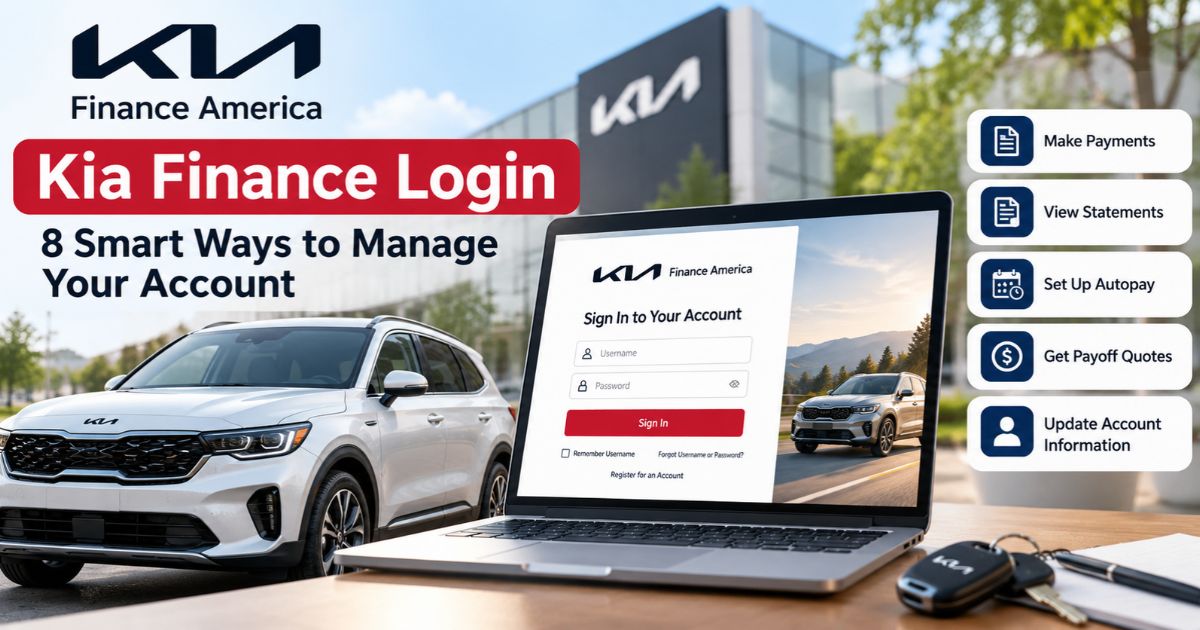
Kia Finance Login gives eligible Kia Finance America customers online access to important vehicle finance or lease account information. After registering an account, customers can use the official portal to review account information, access statements, manage payments, explore payoff or buyout information, and update certain account details.
Managing an auto loan or lease online can be convenient, but it is important to use the official Kia Finance America website and understand what each account feature actually does. Payment timing, payoff amounts, lease obligations, and account changes can have financial consequences.
This guide explains eight practical ways to use the Kia Finance America online account and what to do if you experience login or account-management problems.
Key Takeaways
- Kia Finance America provides secure online account access for eligible finance and lease customers.
- Customers must register before accessing account information through the secure portal.
- The online account can be used to manage payments and review account-related information.
- Kia Finance America offers Autopay for eligible customers.
- Customers can access billing statements and choose paperless billing.
- Payoff and lease-buyout information should be obtained from Kia Finance America rather than estimated from a regular balance.
- Kia Finance America uses Multi-Factor Authentication as part of its account-access process.
- Financing and lease programs are subject to eligibility, credit criteria, dealer participation, and program terms.
What Is Kia Finance America?

Kia Finance America, often abbreviated as KFA, provides vehicle financing and leasing services associated with Kia vehicles in the United States.
One important distinction is that Kia Finance America states that it is not a direct seller of vehicles. Financing and lease programs described on its website are available to qualified applicants through participating Kia dealers and are subject to applicable credit criteria and program terms.
This means the Kia dealership handles the vehicle transaction, while an eligible finance or lease agreement may ultimately be serviced through Kia Finance America.
If you are still deciding how to finance a vehicle rather than managing an existing account, our car finance options guide explains the differences between common financing sources.
1. Access the Official Kia Finance Login
The safest starting point is the official Kia Finance America website. From there, use the My Account option rather than following an unfamiliar link from an email, advertisement, or third-party website.
Kia Finance America’s website terms state that customers must register and log in with their unique username and password to access account information, make payments, or request certain services through secure areas of the website.
How to Access Your Account
- Go to the official Kia Finance America website.
- Select My Account.
- Enter your registered account credentials.
- Complete any required identity or Multi-Factor Authentication verification.
- Review your account information before making a payment or account change.
Avoid entering your username, password, or account information on websites that only imitate the Kia Finance login page.
If you are researching Kia financing before purchasing a vehicle, you may also find our KIA Optima Finance guide useful for understanding used-car financing considerations.
2. Create and Protect Your Kia Finance Account
New customers generally need to register their account before they can use the secure online account-management features. Kia Finance America provides account-registration assistance through its official website and FAQ resources.
Follow the information requested during registration carefully. The exact verification steps shown to you should be treated as authoritative because online registration and security procedures can change.
Protect Your Login Credentials
Kia Finance America states that customers are responsible for protecting their passwords from unauthorized use. Do not reuse an easily guessed password or share your account credentials with another person.
If you believe your password or account has been accessed without authorization, use Kia Finance America’s current official customer-service information to report the issue.
Multi-Factor Authentication
Kia Finance America includes Multi-Factor Authentication, or MFA, among its official website-support topics. MFA adds an additional identity-verification step beyond simply entering login credentials.
If an MFA prompt appears, follow the instructions displayed by Kia Finance America rather than attempting to bypass the verification process.
Good account security is only one part of managing your finances responsibly. Our personal finance guide covers broader money-management practices.
3. Review Your Account Information and Statements
Once logged in, review the information associated with your account before taking action. Kia Finance America says online account customers can access features including account summaries and alerts, statements, and other account resources.
Regularly reviewing account information can help you identify upcoming obligations and spot information that may require attention.
Kia Finance Statements
Kia Finance America provides online billing-statement access and also offers paperless billing.
Its FAQ resources address questions such as:
- How to view a billing statement online
- When a recent billing statement becomes available
- How to receive monthly billing statements electronically
Keep important statements and payment confirmations for your records, particularly when preparing to pay off, sell, trade, or refinance a financed vehicle.
Understanding the cost information shown in your finance documents is also important. See our explanation of the finance charge on a loan for additional guidance.
4. Make Kia Finance Payments Carefully
The Kia Finance login can be used to manage eligible account payments. Kia Finance America’s official website includes a dedicated Make a Payment function, while its FAQ provides information about available payment options.
Before submitting a payment, verify:
- The account you are paying
- The payment amount
- The payment date
- The funding account information
- Any confirmation displayed after submission
Keep the payment confirmation until the transaction is reflected correctly on your account.
Do Not Wait Until the Last Minute
Different payment methods can have different processing rules or timing. If a due date is approaching, check the official payment instructions rather than assuming every method posts immediately.
If you are having difficulty meeting an auto-payment obligation, review your contract and contact the finance company promptly to understand what options, if any, may be available for your account.
For buyers who have not yet selected a loan, an auto finance calculator can help estimate how APR, term, and amount financed affect monthly payments.
5. Use Kia Finance Autopay When It Fits Your Needs
Kia Finance America currently promotes Autopay as an account-management option. Autopay can reduce the need to manually initiate a payment each billing cycle.
However, enrolling in automatic payments does not eliminate the need to monitor your account.
After enrollment:
- Confirm the payment account information is correct.
- Make sure sufficient funds are available when a payment is scheduled.
- Review account activity periodically.
- Update payment information when a bank account changes.
- Check the official account for any notices affecting scheduled payments.
Automatic payments can improve convenience, but maintaining enough cash in your payment account remains your responsibility.
Building recurring payments into a realistic budget is part of sound financial planning. Our strategies for financial success provide additional budgeting and planning principles.
6. Obtain a Kia Finance Payoff or Lease Buyout Quote
A payoff quote is especially important when you plan to pay off a financed vehicle, sell it, trade it, or refinance through another lender.
Kia Finance America’s official FAQ has dedicated sections for the Finance Payoff Process, Lease Buyout Title Process, and obtaining a payoff/buyout quote.
Do not assume that a balance shown on a regular statement is automatically the exact amount needed to complete a payoff on a particular future date. Use the current payoff information supplied for your account.
When Selling a Financed Kia
If you plan to sell a Kia that still has an outstanding loan, determine the current payoff and understand how the lien and title will be handled before completing the transaction.
Our guide on how to sell a financed car explains payoff, equity, lien, and title considerations in more detail.
When Trading the Vehicle
Compare the vehicle’s trade-in value with the current loan payoff. If the vehicle is worth less than the amount owed, you may have negative equity.
Rolling negative equity into another vehicle transaction can increase the new amount financed. Before replacing the vehicle, compare the full numbers rather than focusing only on the new monthly payment.
Used-car borrowers can review our used car loan guide for additional financing considerations.
7. Update Account Information and Manage Paperless Billing
Kia Finance America’s FAQ includes account-update guidance for items such as addresses, due dates, and email addresses used for paperless statement delivery.
If your contact information changes, update it through the appropriate official account process. Keeping your information current helps reduce the chance of missing account communications.
Paperless Statements
Kia Finance America currently offers paperless billing. Customers who choose this option can view statements, notices, and certain legal disclosures electronically instead of receiving a paper statement.
If you choose paperless delivery, keep your email address current and continue checking the online account rather than relying only on email notifications.
Kia Finance America’s website terms specifically state that customers are responsible for notifying it when their email address changes.
8. Troubleshoot Kia Finance Login Problems
If your Kia Finance Login is not working, avoid repeatedly guessing credentials or using unofficial websites that claim they can restore access.
Check the Official Website First
Start from the main Kia Finance America website and select My Account. This helps rule out an outdated bookmark or third-party login page.
Use the Official Recovery Process
If you have forgotten your credentials, follow the recovery options provided on the official site. Complete any identity-verification or MFA steps requested.
Check Browser and Website Compatibility
Kia Finance America maintains a Website Issues section in its FAQ, including information about system compatibility and TLS requirements. If the portal does not load correctly, check the official troubleshooting guidance and make sure your browser and device software are reasonably current.
Contact Kia Finance America When Necessary
If self-service options do not resolve the problem, use the current contact information displayed on the official Kia Finance America website. This is preferable to relying on phone numbers copied from old blog posts, forums, or search-result snippets.
Have relevant account and vehicle information available when requesting assistance, but do not publicly post sensitive account credentials or financial information.
If you are experiencing broader vehicle-financing problems rather than a login issue, our Auto Finance Center covers additional loan-management topics.

What Can You Manage Through Kia Finance America?
Available online features can depend on the account and current website functionality, but Kia Finance America’s current website highlights several important account-management services.
| Feature | Purpose |
|---|---|
| Account Summary | Review important information associated with the account. |
| Payments | Manage eligible account payments. |
| Autopay | Arrange eligible recurring automatic payments. |
| Statements | Access available billing statements. |
| Paperless Billing | Receive eligible statements and notices electronically. |
| Payoff/Buyout | Access information needed when paying off financing or handling an eligible lease buyout. |
| Account Updates | Manage eligible profile and account-information changes. |
| Alerts | Receive eligible account reminders and notifications. |
Kia Finance Payment Calculator vs. Your Online Account
Kia Finance America provides budgeting and payment-calculation resources through its Credit Education section. These tools are useful when estimating possible vehicle-financing scenarios, but they should not be confused with the actual balance, payment, or payoff information for an existing account.
For example, KFA’s Budget Calculator lets users experiment with inputs such as target payment, down payment, APR, term length, trade-in value, and trade-in balance.
A calculator result is an estimate. Your actual finance contract and account information control your real payment obligations.
Before financing another vehicle, compare several auto finance deals rather than assuming an advertised monthly payment represents the lowest overall borrowing cost.
Kia Finance Login Security Tips

Online finance accounts contain sensitive personal and financial information, so basic account-security practices matter.
- Use the official Kia Finance America website.
- Keep your password private.
- Complete legitimate MFA verification when required.
- Avoid signing in through suspicious email links.
- Do not share verification codes with unknown callers or messages.
- Sign out when using a shared device.
- Review account activity and notices regularly.
- Report suspected unauthorized access through official support channels.
Kia Finance America states that it uses procedures intended to protect account information, but it does not guarantee that unauthorized access can never occur. Customers therefore still need to protect their credentials and devices.
Managing a Kia Loan vs. a Kia Lease
The Kia Finance login can be relevant to both finance and lease customers, but the two types of agreements are different.
With vehicle financing, the borrower generally makes scheduled payments under the retail finance contract and works toward satisfying the lien and obtaining clear ownership.
A lease has different obligations and may involve mileage requirements, vehicle-condition standards, a residual value, lease-end choices, and potentially a buyout process.
Kia Finance America provides dedicated lease-end information for customers approaching the end of a lease.
If you are comparing financing before purchasing rather than managing an existing account, see our top auto finance guide.
Common Kia Finance Account Mistakes to Avoid
Using an Unofficial Login Page
Start with Kia Finance America’s official website whenever you need to access your account.
Assuming Autopay Means You Never Need to Check the Account
Continue monitoring scheduled payments, funding information, and account notices after enrolling in automatic payments.
Using the Regular Balance as a Payoff Quote
When paying off, selling, trading, or refinancing the vehicle, obtain the appropriate current payoff information.
Ignoring Account Contact Information
An outdated email or mailing address can interfere with important communications. Update eligible account information when it changes.
Relying on Old Promotional Information
Finance and lease offers can change. Kia Finance America states that its programs are subject to change or end, so verify current offers before making a purchase decision.
Choosing Financing Only by Monthly Payment
If you are purchasing another vehicle, compare APR, loan length, amount financed, finance charge, and total cost—not merely the monthly payment.
First-time borrowers should also review our first-time auto loan guide before committing to financing.
Frequently Asked Questions About Kia Finance Login
What is the official Kia Finance Login?
Kia Finance America provides a My Account area on its official website where registered eligible customers can access secure account-management services.
Can I make a Kia Finance payment online?
Yes. Kia Finance America’s website provides online payment functionality for eligible accounts and maintains official information explaining available payment options.
Does Kia Finance America offer Autopay?
Yes. Kia Finance America currently offers Autopay enrollment for eligible customers. Review the current enrollment terms and your account after setting it up.
Can I view Kia Finance statements online?
Yes. Kia Finance America provides online statement access and offers paperless billing for eligible accounts.
How do I get a Kia Finance payoff quote?
Use the official Kia Finance America account and payoff resources. Its FAQ includes dedicated information about finance payoff and lease buyout quotes.
Can I update my address through Kia Finance?
Kia Finance America’s FAQ includes procedures for updating account information such as an address. Follow the current instructions shown for your account.
Does Kia Finance Login use Multi-Factor Authentication?
Kia Finance America includes Multi-Factor Authentication in its official Website Issues guidance. Follow the verification instructions presented during account access.
Can I receive paperless Kia Finance statements?
Yes. KFA offers paperless billing, allowing eligible statements, notices, and disclosures to be viewed electronically.
Does Kia Finance have a payment calculator?
Kia Finance America provides budgeting and payment-calculation tools through its Credit Education resources. Calculator results are estimates and do not replace the actual terms of a finance or lease contract.
Are Kia Finance offers always available?
No. Kia Finance America states that finance and lease programs are available to qualified applicants through participating Kia dealers and may change or end. Verify the current offer and eligibility requirements before relying on promotional terms.
Official Kia Finance America Resources
- Kia Finance America Official Website
- Kia Finance America FAQs
- Kia Finance America Budget Calculator
- Kia Finance America Terms and Privacy
Final Thoughts on Kia Finance Login
The Kia Finance Login can simplify management of an eligible Kia Finance America loan or lease by putting account information, payments, statements, Autopay, paperless billing, and other account services in one online environment.
Use the official website, protect your login credentials, review payment information before submitting transactions, and obtain an official payoff or buyout quote when you need one. If account information appears incorrect or a login problem cannot be resolved through self-service tools, use Kia Finance America’s current official support channels.
For broader vehicle-financing guidance, compare your account and future borrowing decisions with our car finance options guide, Auto Finance Center, and finance charge guide.